














Contents
Sawspin Withdrawal
A Sawspin withdrawal is requested with the Withdraw button under the balance and paid in AUD, with a minimum withdrawal of AUD 50 and a minimum deposit of AUD 10.
Balances from real-money deposits can be withdrawn once they pass AUD 50, while winnings from free credits and promotions must first complete the offer's turnover and may be capped, for example at AUD 888 for the lucky draw. The casino's live transaction feed regularly lists cash-outs from AUD 50 to more than AUD 1,000, and identity verification may be requested before the first payout.
This page walks through the withdrawal process step by step, explains how promotional balances affect cash-outs, covers verification and the most common reasons for delays, and lists practical tips for getting paid without extra back-and-forth with support.
| Parameter | Details |
|---|---|
| Currency | AUD |
| Minimum withdrawal | AUD 50 |
| Minimum deposit | AUD 10 |
| Where to withdraw | Withdraw button under the balance in the lobby |
| Balance update | Refresh button |
| Examples of recent withdrawals | AUD 50.00, AUD 130.03, AUD 1,001.08 |
| Bonus withdrawal caps | Set per offer (AUD 888 for the lucky draw) |
| Verification | May be requested before the first withdrawal |
| Payment methods | Listed in the cashier after login |
The AUD 50 threshold applies to every account, which makes it the most important number to keep in mind when planning a session.
How to make a Sawspin withdrawal
The process takes a few minutes if the account is verified and no promotion is still active.
- Log in with your mobile number (61 format) and password.
- Press Refresh under the balance to confirm the current amount.
- Make sure the balance is at least AUD 50 and that any claimed bonus has completed its turnover.
- Press Withdraw under the balance.
- Choose a withdrawal method from the list in the cashier.
- Enter the amount in AUD and the payout details, such as your bank account or wallet.
- Confirm the request and keep a record of the time and amount.
After confirmation, the request is processed by the casino and then by the payment provider. The status and any messages about the request appear in the account area.
Withdrawal limits and the AUD 50 threshold
Sawspin sets a low deposit threshold and a higher withdrawal threshold. The gap between AUD 10 and AUD 50 affects how players plan their deposits and promotional play.
| Starting balance | Needed to reach AUD 50 | Multiple of starting balance |
|---|---|---|
| AUD 10 deposit | +AUD 40 | 5x |
| Free AUD 20 credit | +AUD 30 | 2.5x |
| AUD 30 deposit (lucky draw entry) | +AUD 20 | 1.7x |
| AUD 50 deposit | Already at the threshold | 1x |
The table shows why the minimum deposit is not always the most practical deposit. A player who deposits AUD 50 or more can withdraw at any point, while an AUD 10 deposit has to grow fivefold before a cash-out becomes available.
Withdrawing bonus and free credit winnings
Most Sawspin promotions are free credits and free spins rather than deposit matches. Winnings from them follow additional rules before they can be withdrawn.
- Turnover: the free AUD 20, the AUD 10 Facebook and Aristova credits and the Booongo daily free spins need to be played through a set number of times.
- Maximum withdrawal: each offer can cap the amount that may be cashed out; the lucky draw openly lists AUD 888 as its highest withdrawal.
- Game restrictions: playing excluded games with an active bonus can void the winnings.
- Active bonus lock: a withdrawal request may be blocked until the current promotion is completed or cancelled.
Referral rewards of AUD 3 per downline and the 5% weekly commission are credited to the balance and may also carry turnover conditions. The More Info button in the referral panel explains how they can be withdrawn.
Deposits at Sawspin
Deposits start from AUD 10 and are credited in Australian dollars. The live transaction feed shows that AUD 20 and AUD 30 are the most common deposit amounts, the latter because it gives an entry into the daily lucky draw.
The Deposit button opens the cashier with the list of methods available for the account. It is worth checking which of these methods also support withdrawals before depositing, since some payment options are available for deposits only.
What the live transaction feed shows
The Live Transaction table in the left-hand panel of the lobby lists recent deposits and withdrawals with masked mobile numbers, AUD amounts and the game platform (BNG or JILI3). It gives a useful picture of how the cashier works in practice.
- Withdrawals of different sizes appear side by side, from AUD 50.00 to AUD 1,001.08.
- Four-figure cash-outs are listed, which confirms that larger withdrawals are processed.
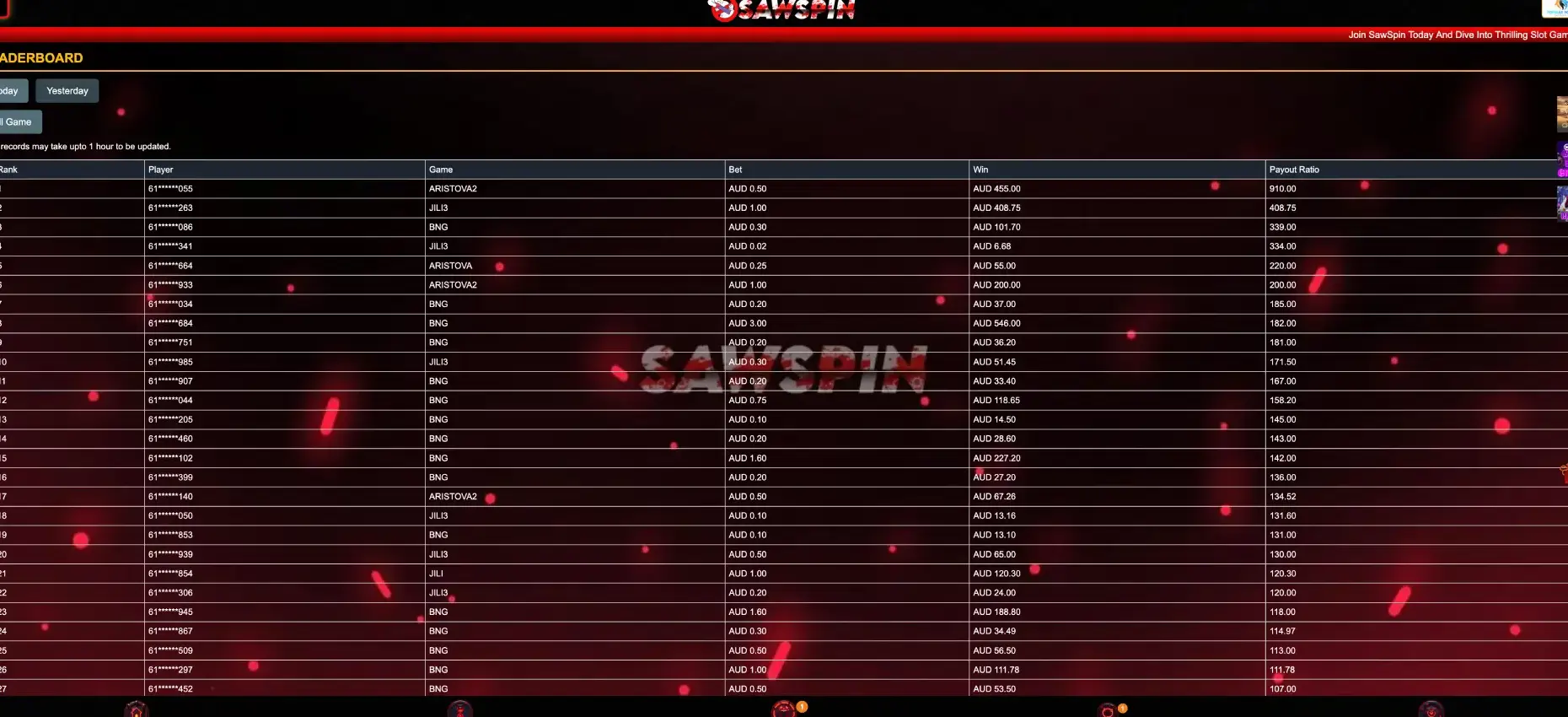
- Most listed winnings come from BNG and JILI3, the platforms that also dominate the leaderboard.
The feed reflects recent activity only and does not show processing times, so the cashier and account messages remain the main source for the status of a specific request.
Processing times
The time from request to payout depends on three stages: the casino's internal check, any verification step and the payment provider's own processing. Requests from verified accounts without active bonuses usually move fastest. Bank transfers generally take longer than digital wallets, and weekends or public holidays can add time at the provider's end. The expected time for each method is shown in the cashier.
KYC verification before a Sawspin withdrawal
Sawspin may ask for identity confirmation before the first withdrawal, for larger amounts or when account details need to be checked. The request usually arrives through the account area or support chat.
- Photo ID: an Australian driver licence, passport or proof of age card.
- Proof of address: a utility bill or bank statement issued within the last three months.
- Payment method confirmation: a statement or account page showing the account or wallet used.
- Phone number: the registered mobile number must be active, as it is the account ID.
Documents should show the same name as the account and be clear, uncropped and in colour. Sending them before the first withdrawal request avoids a pause in processing.
Common reasons for withdrawal delays
Most delays have a clear cause that can be fixed by the player.
- Balance below AUD 50: the request cannot be submitted.
- Unfinished bonus turnover: an active free credit or free spins offer blocks the withdrawal.
- Pending verification: documents have not been sent or do not match the account.
- Mismatched payout details: the name on the bank account or wallet differs from the account holder.
- Duplicate accounts: more than one account on the same person or device can lead to a review.
- Weekend or holiday processing: payment providers may not process transfers on non-business days.
Practical tips for a smooth Sawspin withdrawal
A few steps taken before the first cash-out make later withdrawals faster.
- Deposit AUD 50 or more if you want the option to withdraw at any time.
- Finish or cancel active promotions before requesting a withdrawal.
- Read the maximum withdrawal line in each promotion's info before claiming it.
- Complete verification early, ideally right after the first deposit.
- Use a withdrawal method registered in your own name.
- Save a record of the withdrawal confirmation, including time and amount.
- Test the process with a small withdrawal before moving larger sums.
Withdrawal security
Withdrawal requests are linked to the account's mobile number and password. Keeping the password private, logging out on shared devices and never passing verification codes to anyone in Telegram or WhatsApp groups protect the balance from unauthorised requests. Support staff do not need a password to check a withdrawal.
Mobile withdrawals
The Withdraw button is available in the mobile browser version of Sawspin on iOS and Android, with the same AUD 50 minimum and the same methods as on desktop. Verification documents can be photographed and uploaded directly from the phone. The Refresh button updates the balance after a request without reloading the page.
Sawspin withdrawal FAQ
These answers cover the most frequent questions about cashing out at Sawspin.
What is the minimum Sawspin withdrawal?
The minimum withdrawal is AUD 50. The figure is shown under the balance in the lobby.
How do I withdraw from Sawspin?
Log in, press Refresh, then press Withdraw under the balance, choose a method, enter the amount in AUD and confirm the request.
Can I withdraw the free AUD 20?
Winnings from the free AUD 20 can be withdrawn after the offer's turnover is complete and the balance reaches AUD 50, within any maximum withdrawal cap set for the promotion.
Is there a maximum withdrawal for bonus winnings?
Yes. Promotions can cap withdrawals, and the lucky draw lists AUD 888 as its highest withdrawal.
Why is my Sawspin withdrawal pending?
The most common reasons are unfinished bonus turnover, pending verification or payout details that do not match the account holder's name.
Do I need to verify my account before withdrawing?
Sawspin may request photo ID, proof of address and payment method confirmation before the first withdrawal.
Can I withdraw on my phone?
Yes. The mobile browser version has the same Withdraw button and AUD 50 minimum as desktop.